
The foundation
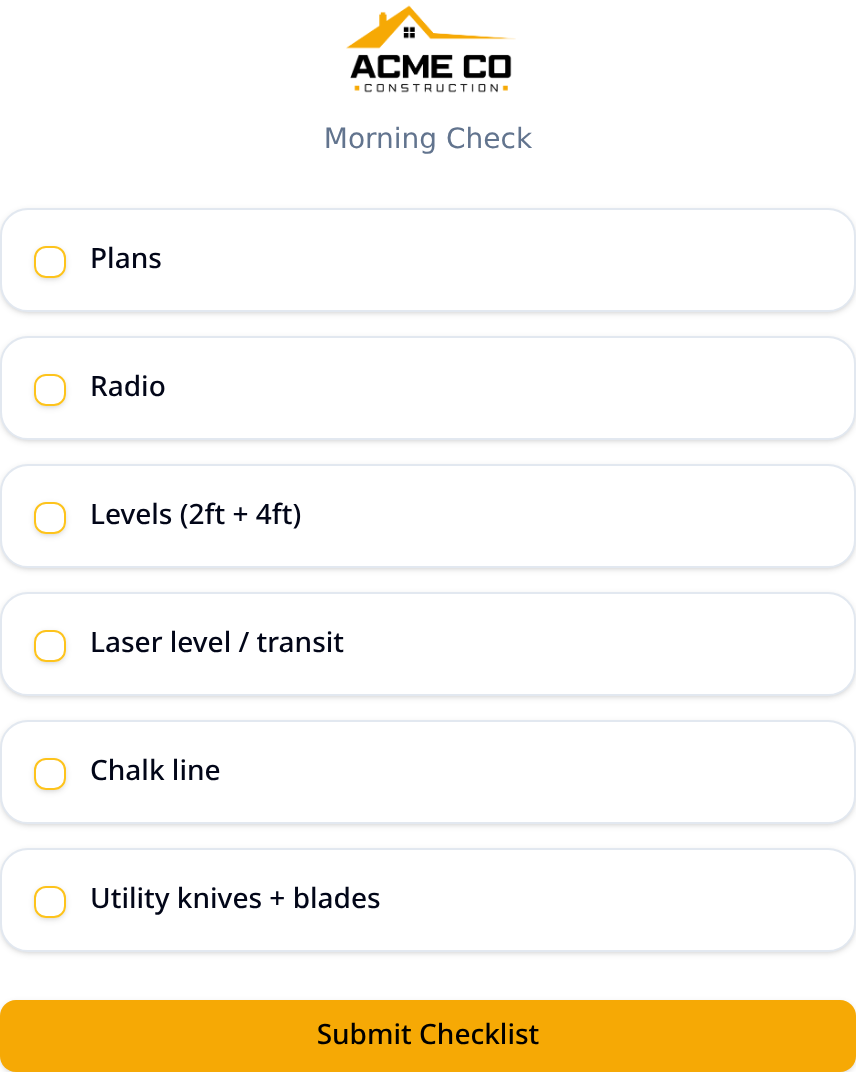
Checklists for anything, on any schedule
One builder for every list your crew needs. A morning readiness check before the truck leaves the yard, a job-specific list for a special pour, a safety walk-through, a job completion QA, whatever the day calls for. Pick the items, choose who gets it, and set the schedule from a one-off send to every morning.
- One-time, daily, or weekly schedules
- Scheduled SMS at the time you choose
- Pick exactly who gets each list
- One-tap link, nothing to download
- Custom SMS message with a note to the crew
- Real-time view of who is ready
- Add photo proof to any item for full transparency
Set it up by voice
AI assistant
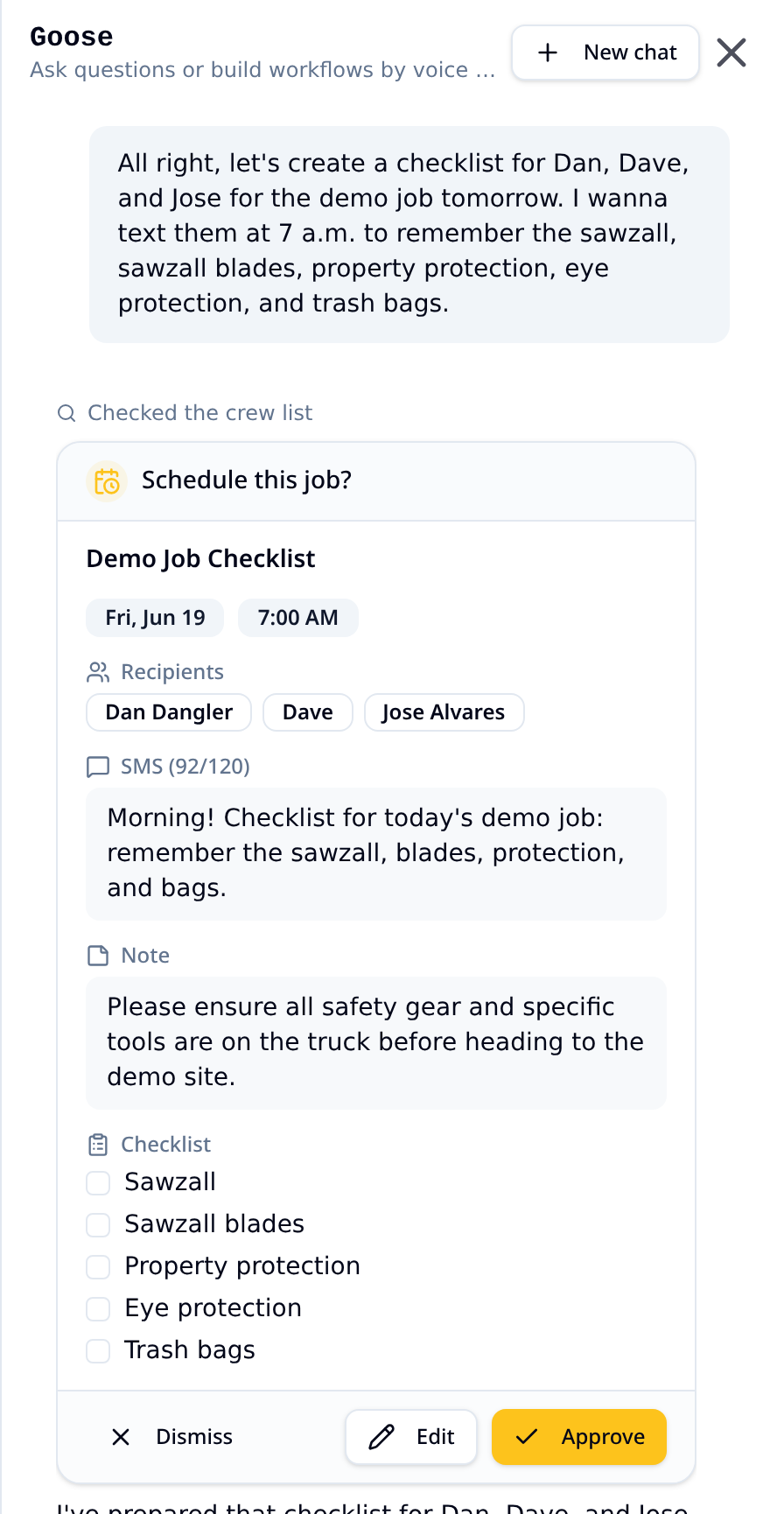
The less time you spend building checklists, the more time you spend on the job. Say "send John and Jo a checklist today at 4pm about the paint job tomorrow" and the assistant drafts it. You edit and approve before anything goes out.
- Voice or text, plain language
- Builds and schedules checklists for you
- Adds crew and organizes teams
- Confirm and edit before approving
Find the leaks
Detailed reporting for every checklist
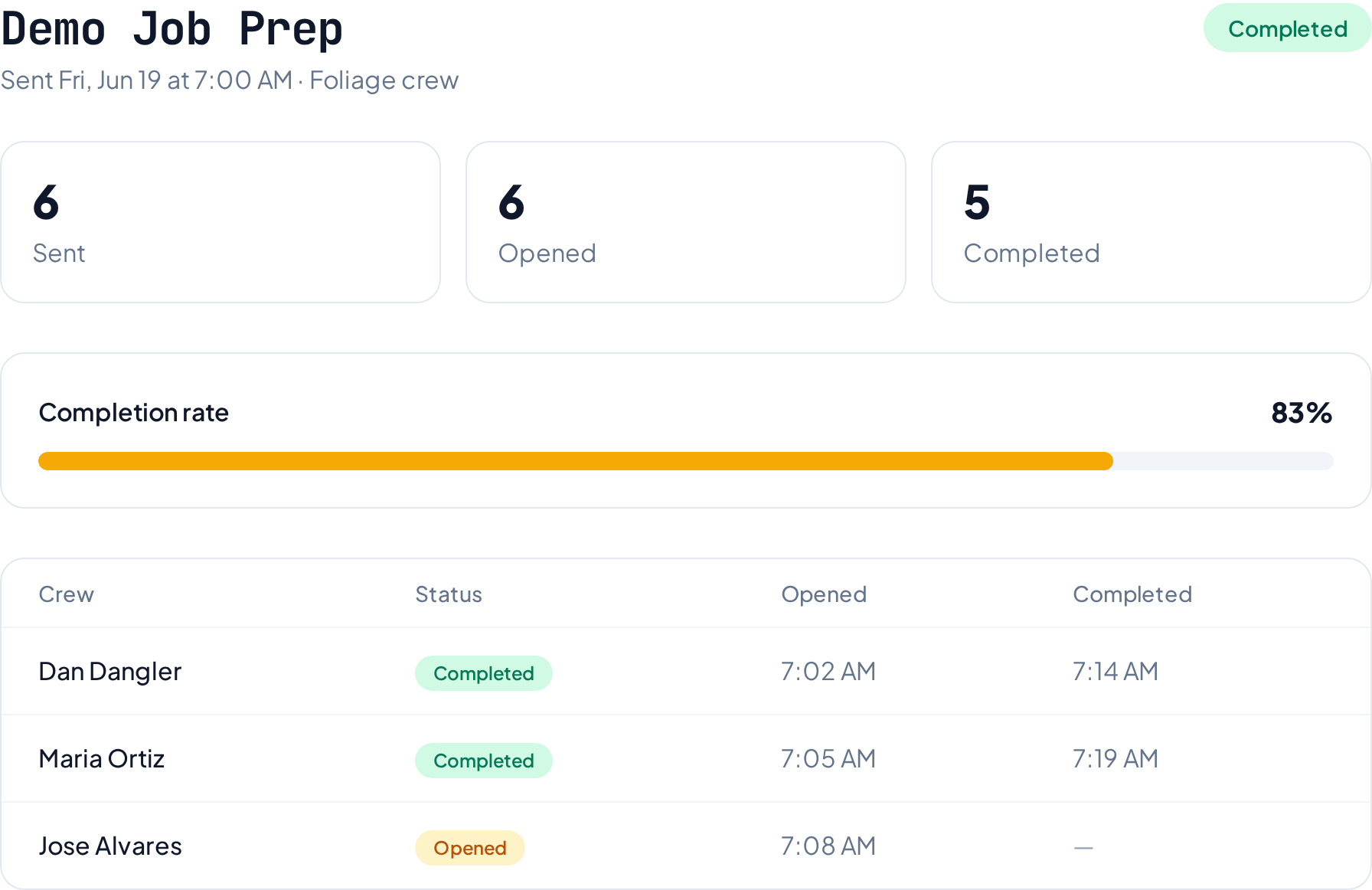
If you cannot see the problem, you cannot fix it. Open a dedicated report for any checklist to see every crew member who responded, what they checked and missed, when they submitted it, and any photo proof they attached. Spot who is falling behind, which teams need better coverage, and where the waste is hiding.
- Per-checklist report with every response
- Who completed it, when, and what they checked
- Photo proof attached right to the report
- Send, open, and completion funnels
- Per-recipient timelines
- Daily and per-checklist breakdowns
- Spot gaps before they cost you
More capabilities that matter
The smaller details that keep crews organized, informed, and on the job.
Photo proof on any item
Require a photo for any checklist item so you get visual confirmation that the job was done right. Crews tap, snap, and submit from the same text link.
Per-submission reporting
Open a detailed report for every checklist to see each crew member's submission, what they checked and missed, the exact timestamp, and any photos they attached.
Upload crew via CSV
Import your whole roster in one shot. Map names, phones, and teams from a spreadsheet in seconds.
Get notified when work is done
See when a checklist is completed, skipped, or late so you can follow up before it becomes a problem.
Customize your branding
Put your logo, company name, and colors on every checklist so crews see a familiar face.
Organize crews into teams
Run separate checklists for different foremen, crews, or job sites under one account.
Schedule any time of day
Morning, mid-shift, end-of-day, or one-time lists. Send them at the exact time each crew needs.
No app to install
Crews tap a text link and mark items off in their browser. No downloads, no passwords, no training.
Built-in SMS compliance
Automatic opt-out handling and consent tracking keep your messages clean and above board.
Morning weather alerts
Get ahead of bad weather with gear reminders and warnings delivered with the morning checklist.
Custom text messages
Add a short note to any checklist so crews know exactly what to expect before they open it.
Completion insights
Track send, open, and done rates per crew member to spot gaps before they cost you.
Ready to stop the waste?
Get your crew on CrewCheckr today.
Feature and service FAQs
Common questions about everything CrewCheckr can do for your crews.